What Peacock announced
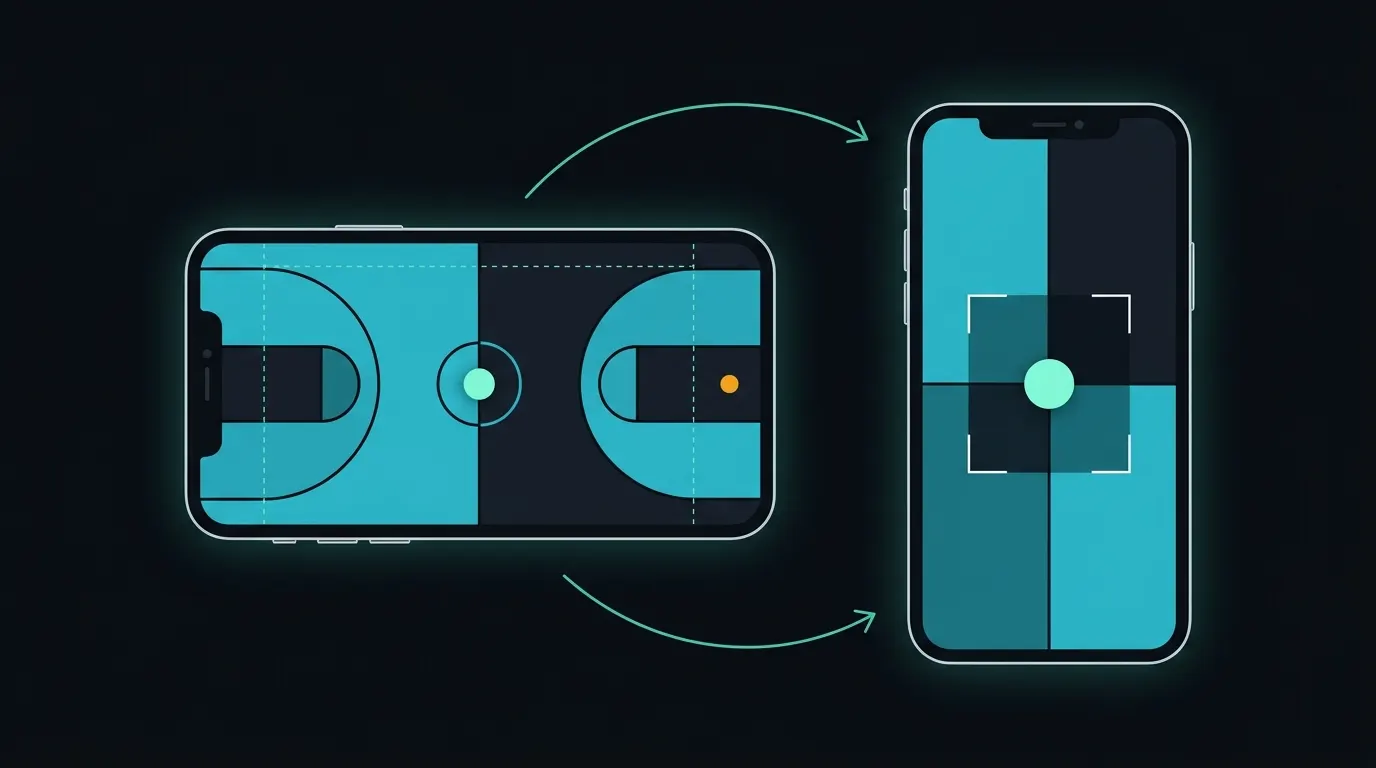
On November 11, 2026, NBCUniversal previewed the next phase of Peacock on mobile. According to the announcement, the updates are already in testing and will continue through early 2027. Peacock is expanding its live vertical video tests beyond the NBA to The Voice live simulcasts, NCAA basketball games and golf, later this year into early 2027. NBCUniversal says these tests will inform a broader Dynamic Video Player that switches between vertical and horizontal playback automatically, depending on device orientation, and keeps key action in frame. For future NBA games, the player is to show player stats and deeper game information directly beneath the live feed in a dual-screen view. The same announcement covers Clips Feed, described as a single home for vertical clips and franchise experiences that leads viewers from short-form content to full episodes, along with franchise hubs on the homepage and a test of conversational AI search. Jim Denney, Chief Product Officer, Global Streaming and NBCUniversal Media Group, said: "Our ambition is for Peacock to be more than a place to watch." The announcement does not describe how the player decides what to keep in frame.
How Peacock produces live vertical today
Sports Video Group reported in May 2026 how NBC Sports and Peacock produce live 9:16 video. For Courtside Live, which launched in the Peacock app for the 2026 NBA All-Star Game, a clean feed of the switched game is cropped to 9:16 by an AI system that tracks the basketball within the live cut; the NBC Sports production team adds the score graphic and passes the output to Peacock for encoding and distribution. For Rinkside Live at the Milano Cortina Winter Olympics, NBC Olympics produced three alternative isolated 9:16 views per hockey and figure skating event that viewers could switch between, using four AI cropping systems, three active and one backup, that mixed automated tracking with manual follow modes. The same report says earlier vertical highlight work relied on manual keyframing in an editing system, which was too labor-intensive for live use. John Jelley, SVP of product and user experience at NBCUniversal Media Group, told SVG: "Vertical video is foundational to Peacock's mobile strategy."
Why a player that rotates changes the job
A separate vertical feed and a player that follows the phone are different problems. In a feed, the viewer chooses vertical and stays there. In a player that switches with device orientation, the same live moment has to exist in two compositions at once, in sync, so that turning the phone mid-play lands on the same instant with the ball, the shooter or the putt still in view. That has practical consequences. The 9:16 version has to be produced for the whole event, not only for selected moments, because the viewer can rotate at any time. Its timing has to match the 16:9 stream closely enough that rotating does not jump backwards or forwards. Graphics need two layouts: a score bug designed for 16:9 can fall outside a 9:16 window, which is why NBC's production team adds the score graphic to the vertical output. And each format frames differently. Basketball follows one ball on a confined court; golf alternates between a player at address and a ball in flight against the sky; a singing competition is a performer on a wide stage with a band and judges. A fixed center crop fails in all three, for different reasons.
What it means for broadcasters, leagues and publishers
Peacock is building this for its own app, where it controls the player, the feed and the path from a short clip to a full episode or live game. Viewers who get used to it there will expect the same in other apps and on other sites: a phone held upright should not mean choosing between a small horizontal picture and a crop that misses the play. For rights holders, a vertical version of a live event becomes a production decision, not only a distribution setting, so it belongs in the plan for each event alongside cameras and graphics. NBC's mix of automated tracking with manual follow modes is a useful pattern: automation handles the routine frames, and a person takes over when the system cannot read the scene. For publishers and local broadcasters with smaller teams, the realistic starting point is fewer events, clear framing rules for each program type and on-demand clips before full live coverage.
Where Minute-ly.com fits
Minute-ly.com's Smart Composition recomposes horizontal live broadcasts and VOD into vertical, portrait, square and foldable video. Rather than keeping a fixed part of the frame, it considers the scene and can follow subjects or arrange several important regions, such as a presenter and supporting footage, into a new layout, which is the problem any player that keeps key action in frame has to solve on every shot. Processing latency and supported layouts depend on the source and the deployment, so they are confirmed in a production trial, and human review stays in place where editorial approval is required. Foldable phones add a third shape that changes as the device opens; our guide to foldable video production covers that case.
A checklist before going live in two orientations
Pick one program type and list its recurring shots, such as wide play, close-up, replay and full-screen graphic. Decide what must stay in the 9:16 frame for each shot and what happens when the system is not confident. Redesign score and lower-third graphics for the vertical output instead of cropping them. Test rotation mid-play on real phones and check that both versions stay in sync. Keep a person able to override the framing during the live event. Measure how often viewers rotate and how long they watch in each orientation, not only total starts.