The short answer
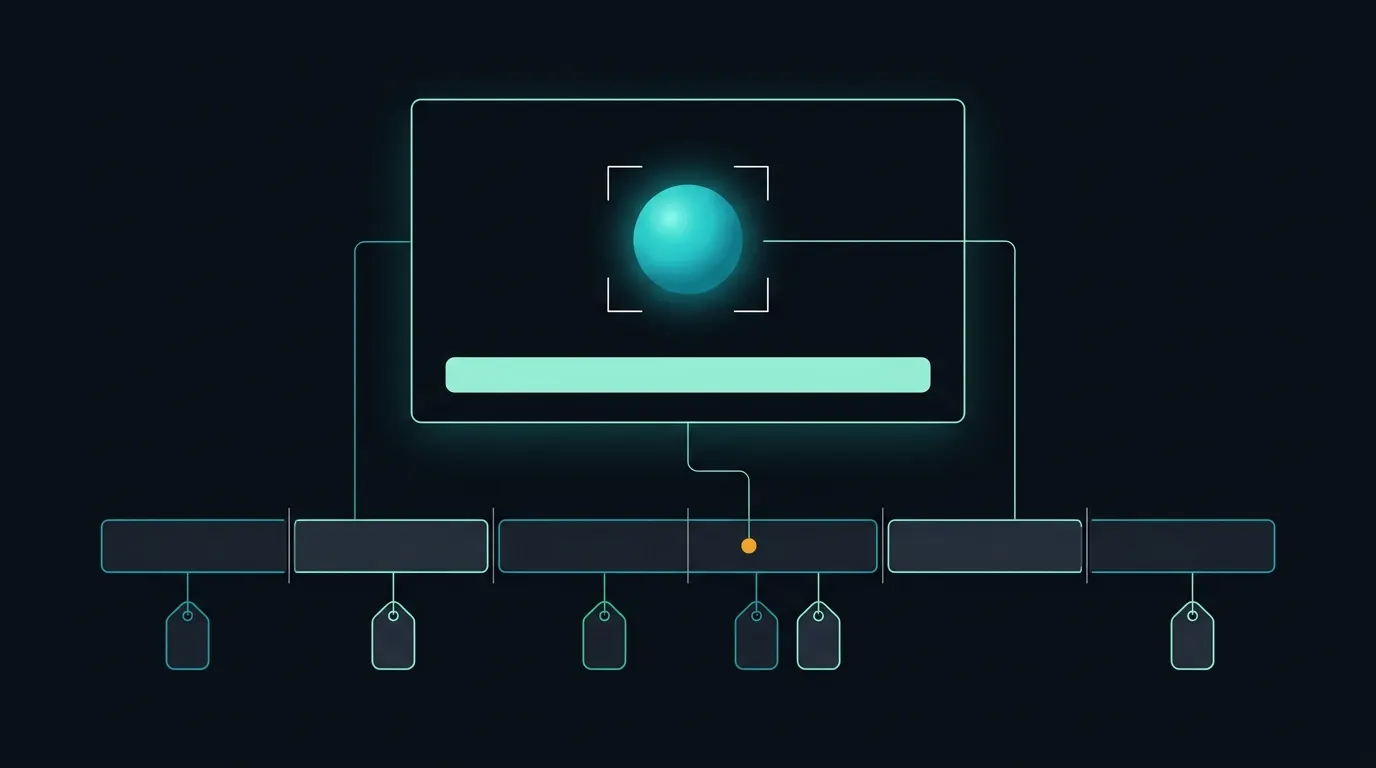
AI video tagging is the automatic creation of descriptive metadata from the picture and sound of a video, instead of from a person typing keywords into a form. Current tools work on several signals at once: speech, which becomes a transcript; text that appears on screen, such as names, captions and signs; objects, places and activities, which become labels; cuts between camera shots; technical sections such as credits, color bars and black frames; and people, faces and logos. The useful output is not a list of keywords for the whole file but a set of tags with start and end times and a confidence score. That timing is what lets an editor search a library and land on the moment they need rather than at the start of a two-hour recording.
What the models actually return
Cloud documentation shows the shape of the output. Google Cloud's Video Intelligence API lists nine features, including label detection, shot change detection, speech transcription, text detection, object tracking, logo recognition, face detection and person detection. Its label detection returns each entity with a description, broader category entities, start and end time offsets and a confidence score, at three levels: segments chosen by the user (the whole video if none is given), automatically detected shots, and individual frames sampled once per second. Its text detection performs optical character recognition and returns each piece of text with the time segments where it appears, a confidence score and a bounding box for each frame. Amazon Rekognition Video's segment detection covers the structural side: technical cues (black frames, color bars, slates, studio logos, opening and end credits and program content) and shot detection, returning SMPTE timecodes, timestamps and frame numbers that AWS describes as frame accurate. Rekognition also lets the caller filter detected segments by a minimum confidence.
Time-coded tags, not file-level keywords
A single keyword field per asset answers whether a recording mentions a topic. Time-coded metadata answers where. The difference matters for every workflow downstream. A transcript segment with timestamps can open a player at the right point. A shot boundary gives a clean in and out point for a clip. A detected credit sequence marks where the program starts and ends; AWS gives skip-intro prompts and ad insertion in silent black frames as examples of what frame-accurate segment data supports. On-screen text found by OCR often carries the facts a transcript misses, such as the name in a lower third or the score in a corner graphic. Keep every tag tied to the asset identifier and the source timecode, so that an editor can check it against the original before it is used.
Map tags to a schema your systems already use
Raw model output is not yet a metadata strategy. Labels from one service, transcripts from another and rights data from a third need a common structure before an asset management system, CMS or search index can use them together. The IPTC Video Metadata Hub is one reference point: a single set of video metadata properties covering the visible and audible content, rights, administrative details and technical characteristics of a video, with reference implementations in XMP, EBU Core and JSON. Its version 1.7 adds properties for recording the AI prompt information used to generate content, where applicable. Whatever schema you choose, decide which fields machines may fill, which need human approval, and how a machine-generated value is marked so that it can be told apart from a value an archivist entered and checked.
How archives use it for search
In a broadcast or publishing archive, tagging is usually the first step towards search that people actually use. Transcripts answer what was said and by whom when speakers are identified. OCR finds names, places and numbers that were only shown on screen. Labels and object detection help with visual queries such as a stadium at night, a flood or a press conference. Shot and scene boundaries turn a long recording into units that can be previewed, clipped and reused. Rights and administrative fields keep restricted material out of results meant for publishing. The index and the search application built on top decide how well this works in practice: metadata makes footage findable, but relevance ranking, filters and the editor's interface decide whether people find it quickly.
Where automatic tags go wrong
Every tag is a prediction. Labels can be correct but too generic to help, such as person or sport. OCR can misread stylized graphics or text in motion. Transcripts struggle with crowd noise, overlapping speakers and names the model has not seen. Confidence scores help, but a threshold that suits a broad search index may be too loose for anything published to the audience. Identifying specific people raises policy and consent questions that each organization needs to settle before turning face or person features on. A safe pattern is to start with a representative sample of the library, measure precision on the tags you care about most, set thresholds per tag type and keep a human review step for anything that will be published, sold or used to make a rights decision.
Where Minute-ly.com fits
Tagging pays off when the same understanding feeds several outputs instead of sitting in a database. Minute-ly.com's Video AI Engine connects live streams, broadcast feeds, VOD and libraries, and its video understanding identifies scenes, people, speakers, action and context as a common foundation for downstream work. From that analysis, configured workflows produce chapters, summaries, highlights, previews, captions and vertical versions through Smart Composition, and structured metadata can be sent to connected systems to support search. Sources, outputs, review steps and integrations are scoped for each deployment, starting with representative material and agreed acceptance criteria.
Checklist before tagging a library
Pick a representative sample: different programmes, languages, lengths and production styles. List the questions editors and audiences ask of the archive, and the tag types that would answer them. Choose a metadata schema and decide which fields machines may fill and which need approval. Keep asset identifiers and source timecodes on every tag. Measure accuracy per tag type on the sample before processing the whole library, and set confidence thresholds from those results. Mark machine-generated values so they can be filtered and audited. Settle the policy for identifying people before enabling those features. Connect the metadata to the search index, CMS or player that will use it, and measure whether people find footage faster than before.